Windows 10 / 11 · 64-bit v0.8 · open-source launch
A lightweight native workspace for agent-driven development
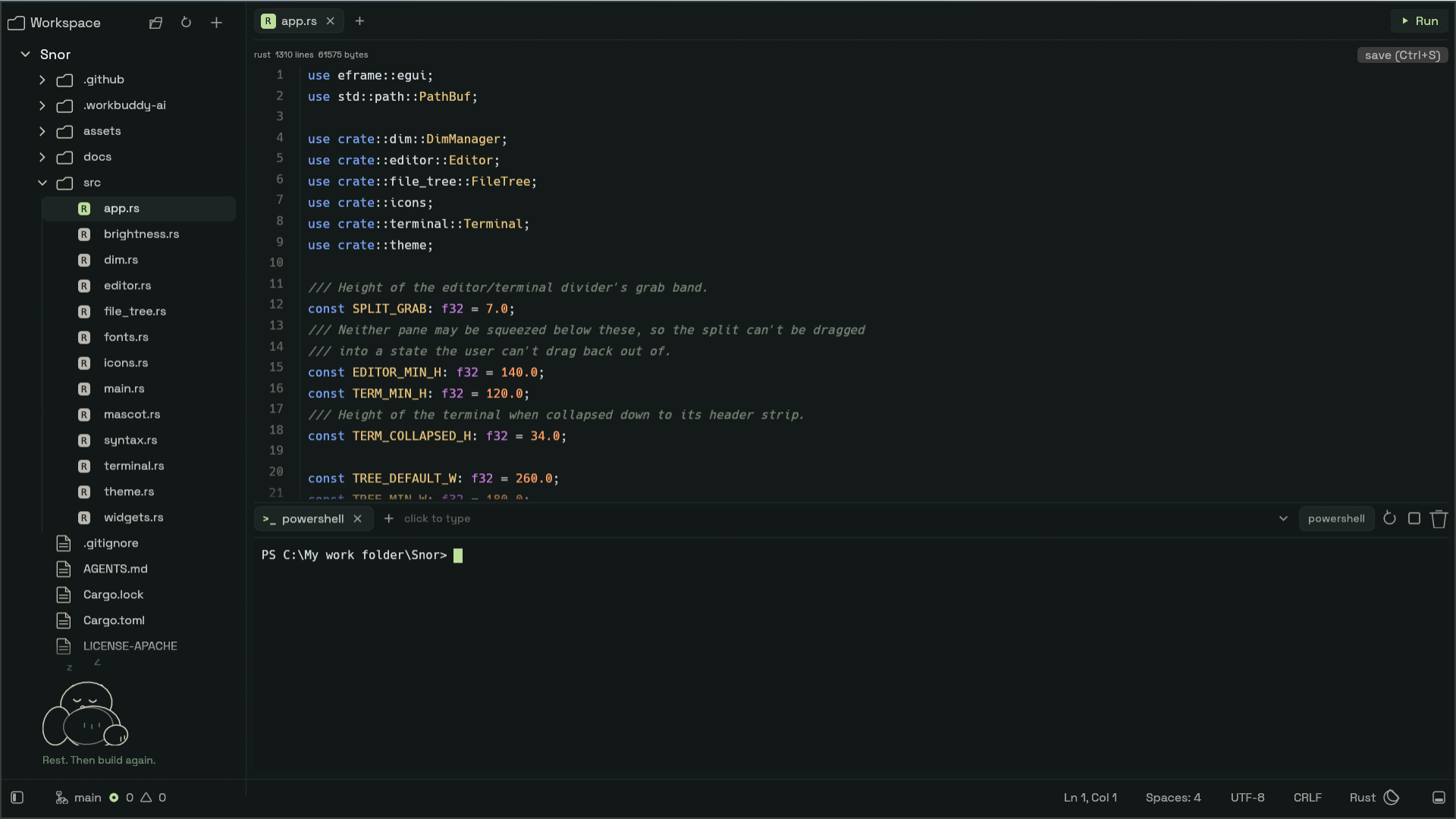
Snor is a minimal IDE written in Rust, built around one shift: your job is moving from typing every line to directing, supervising, and collaborating with coding agents. It stays near 155 MB while doing it — roughly a sixth of the ~980 MB a mainstream editor can idle at.
cargo run --release
- ~155 MB
- peak working set
- ~11 MB
- release binary
- 66
- tests, clippy clean
- Zero
- telemetry / accounts
01
Agents are powerful. Managing them is the hard part.
A typical agent workflow means jumping between a terminal, an editor, a file explorer, git tools, and several agent sessions. On larger projects, supervising agents becomes as difficult as writing the code itself.
Snor is an experiment in a calmer setup: one focused window where you see your project, touch your files, and run multiple coding agents side by side — without switching tools every thirty seconds.
02
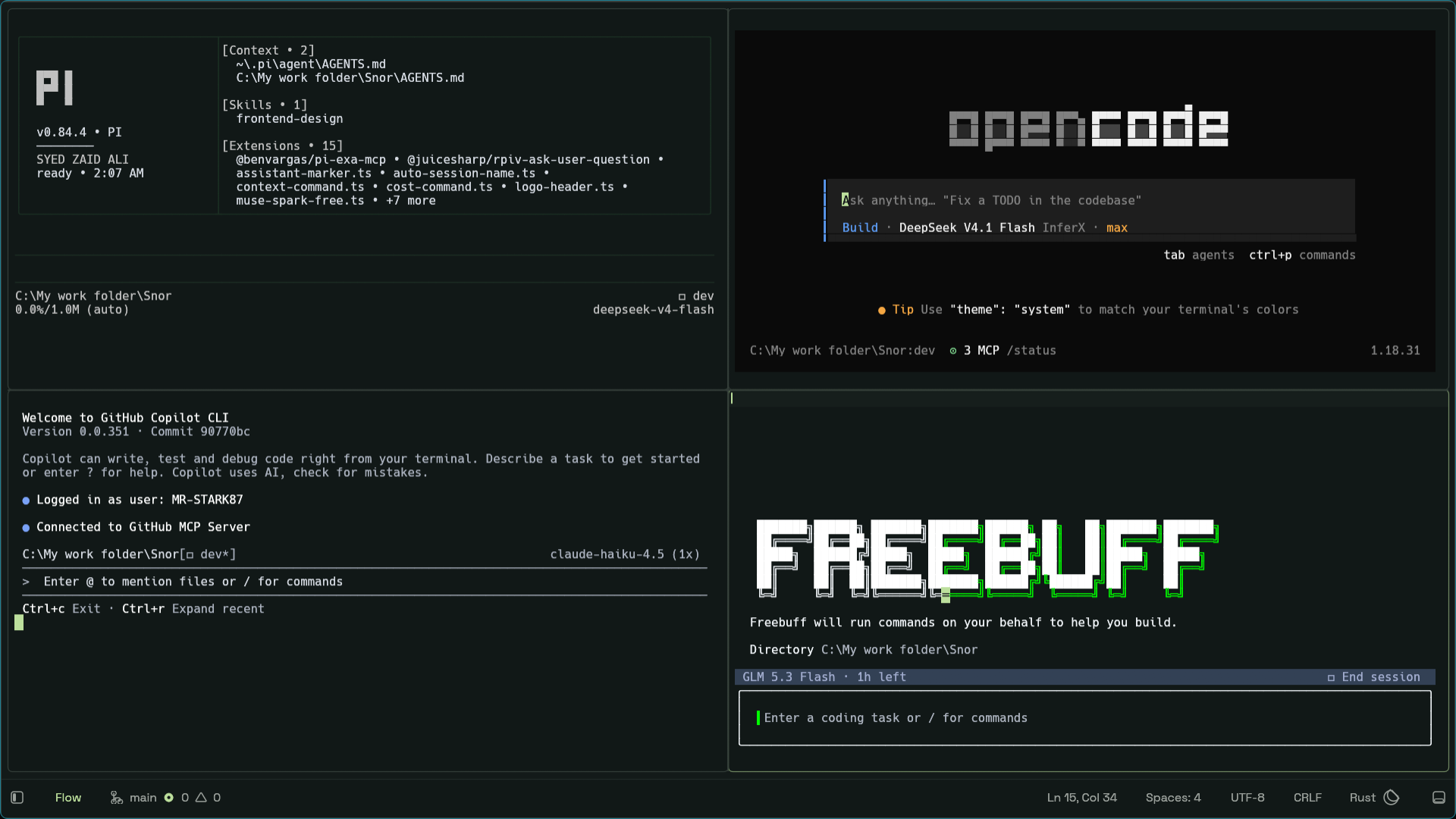
Flow Mode: four agents, side by side
The whole window becomes live terminal panes for supervising agents. Split, focus, and let them work.
Multi-session terminal
Real ConPTY powershell.exe -NoLogo -NoProfile with colours and a block
cursor, behind a tab strip. + opens a session, clicking switches,
closing the last tab hides the panel, and Ctrl+Tab brings it back.
Click any shell and type
Enter, arrows, Tab, Backspace and Ctrl+C all reach the shell. It answers DSR / CPR / DA queries so PSReadLine never blocks.
Explorer follows focus
The file list re-roots at the focused terminal's directory. Any folder offers open terminal here — the fastest way to give each agent its own corner.
- Ctrl+Shift+F Flow Mode
- Ctrl+Shift+H / V Split pane
- Alt+arrows Move pane focus
- Ctrl+Tab Toggle terminal
03
Touch files without leaving the flow
- Highlighting
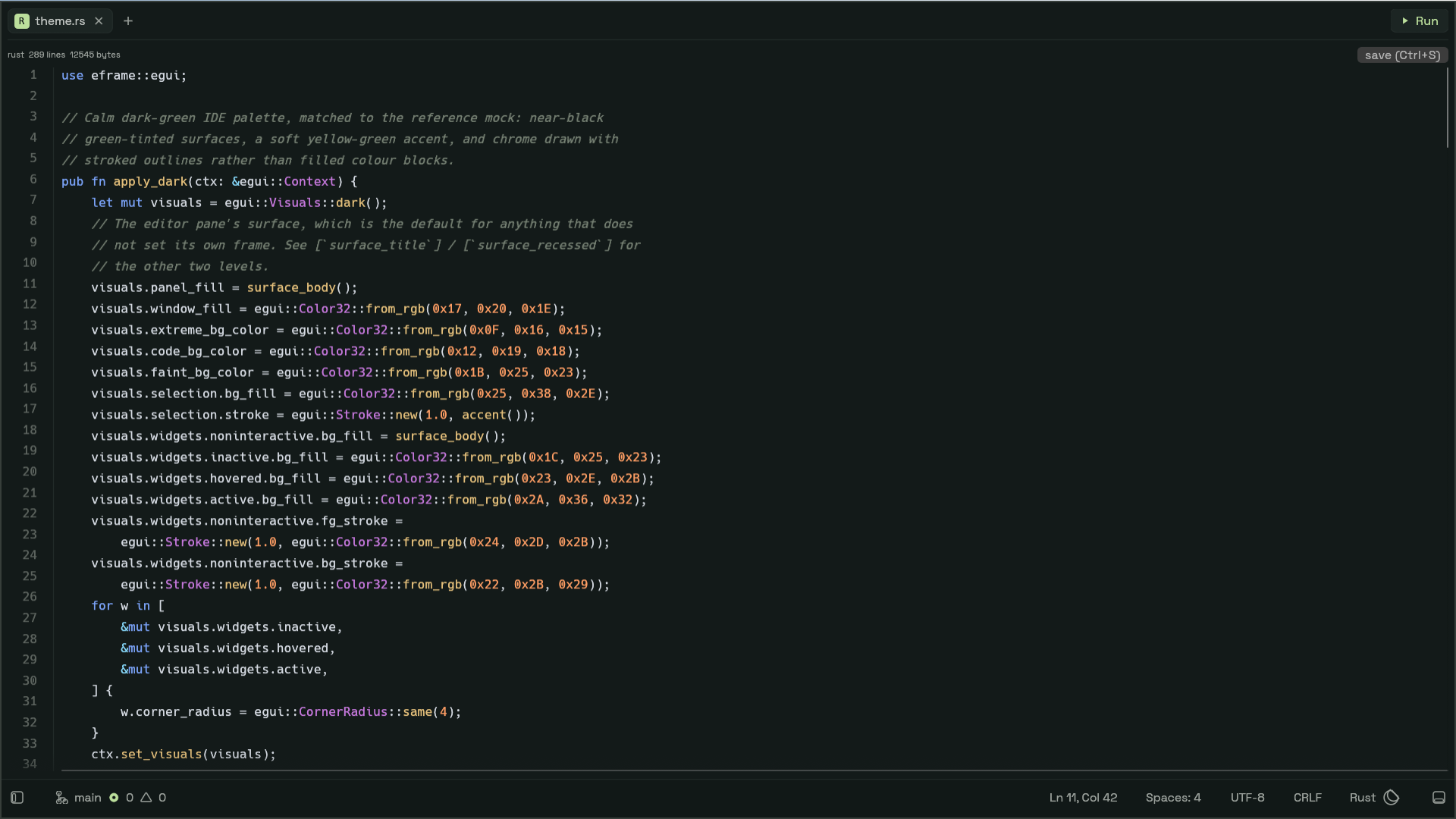
- Tree-sitter for rust, json, js and toml, with a keyword fallback for everything else. A 100 KB tree-sitter cap and a 500 KB large-file guard keep it out of the way.
- Find, save, run
- In-file find (Ctrl+F, Enter next, Shift+Enter previous), Ctrl+S to save, and a Run button that sends
cargo runto the terminal. - File tree
- Create, rename and delete files; auto-refresh via a filesystem watcher; a resizable, collapsible explorer on Ctrl+B.
04
Let long agent sessions run with the screen dark
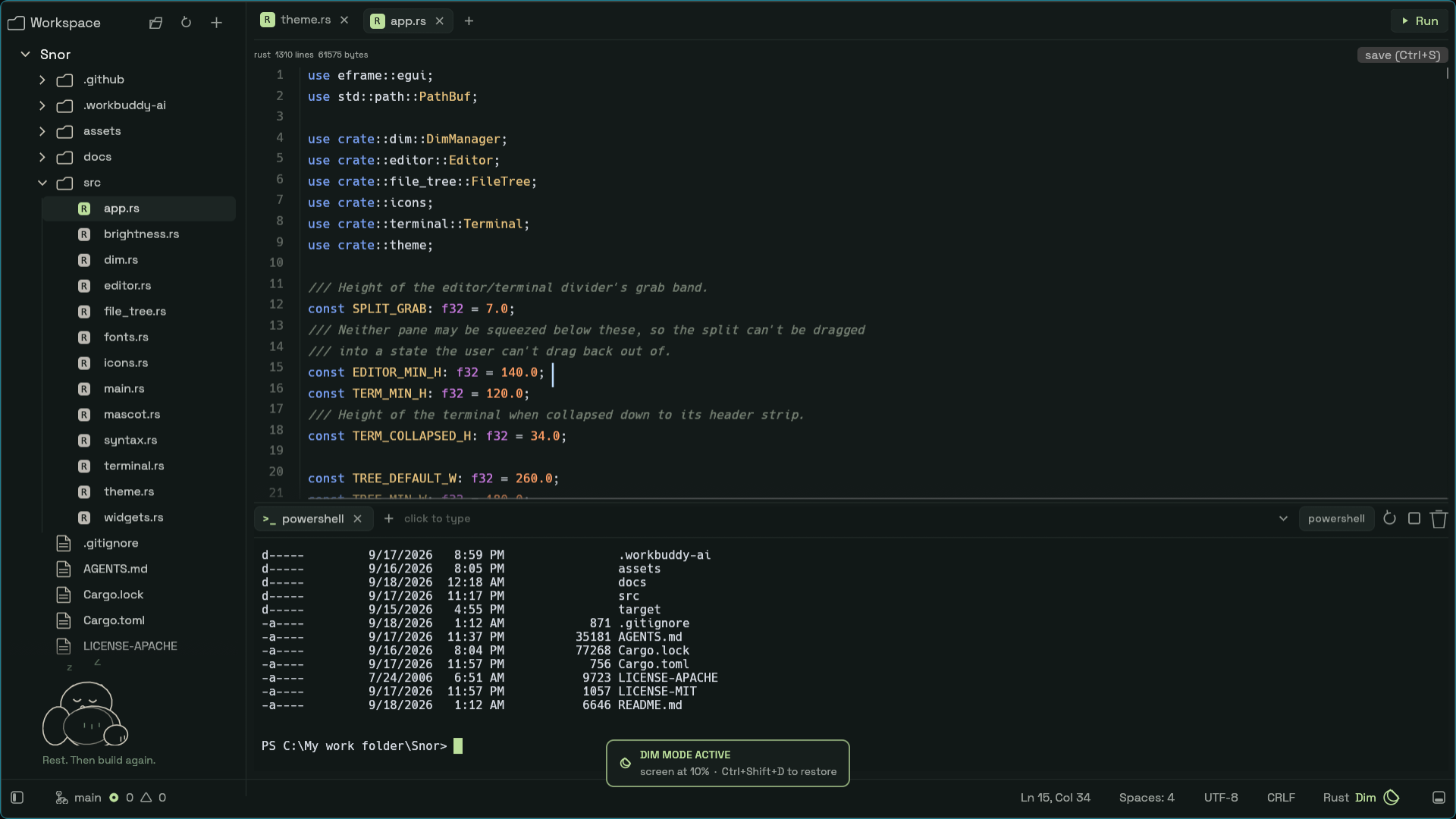
Ctrl+Shift+D lowers the physical backlight over WMI, so an overnight run doesn't light the room. A moon in the status bar shows while it's active; machines without brightness control get a notice instead.
- Reads the current brightness, drops to 10%, and restores it exactly on exit
- An overlay card confirms the state — no stale residue on toggle-off
- Best-effort restore on shutdown, and it never panics
05
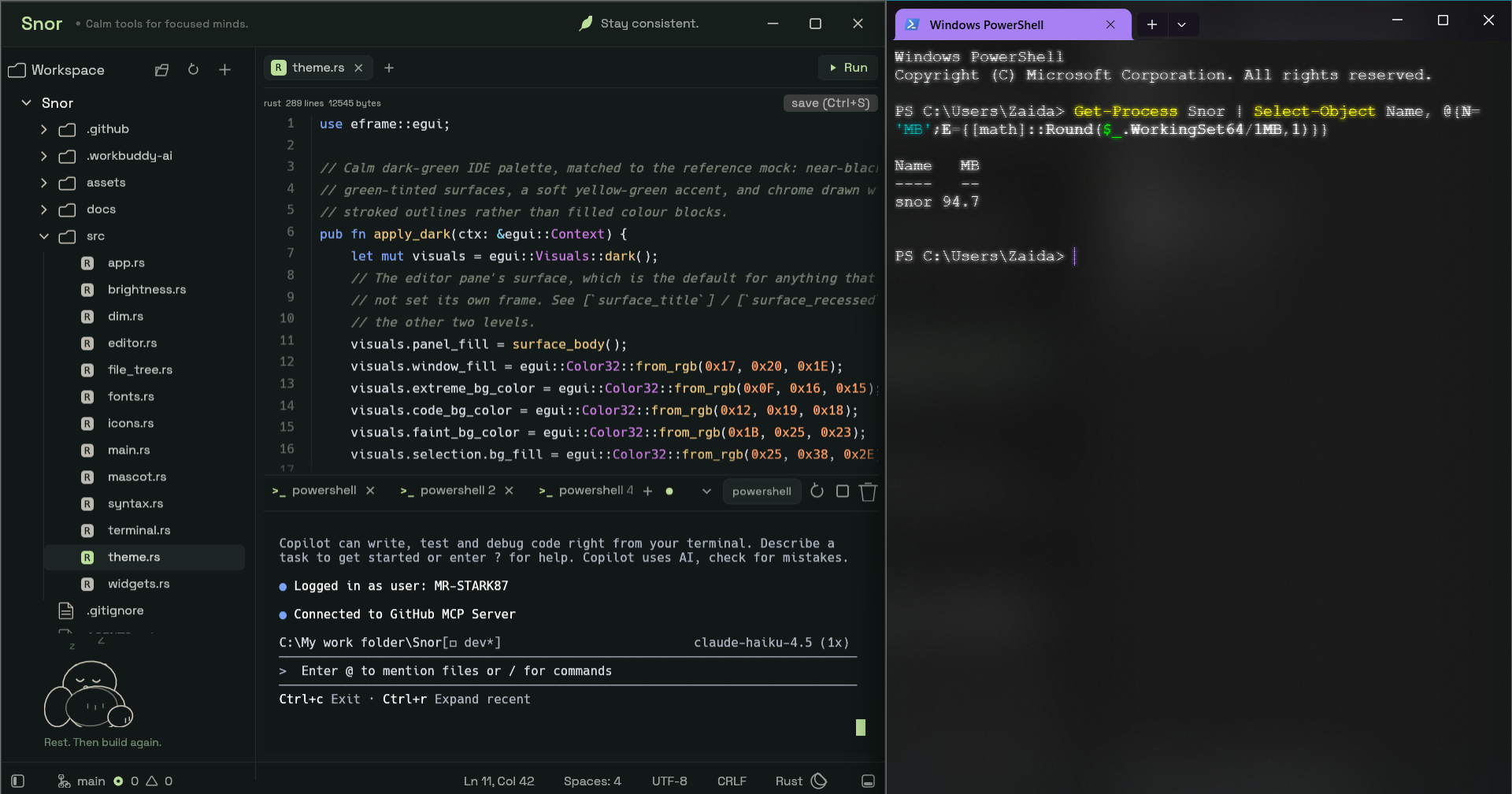
Read the number as a peak, not a level
WorkingSet64 counts resident pages, and Windows trims them freely for a
backgrounded window. Measured on one long-lived debug process: 83.8 MB resident,
155.8 MB peak, 147.3 MB commit. The ~155 MB quoted is the peak — commit
is the number that stays put.
| Version | Result |
|---|---|
| V1 debug / release | ~306–313 MB / ~331 MB, 17 MB exe |
| V1.1 — glow, strip, thin LTO | ~173 MB / ~167 MB, 12.5 MB exe |
| Now | ~155 MB peak · ~147 MB commit · ~11 MB exe |
Get-Process Snor | Select-Object Name, @{N='MB';E={[math]::Round($_.WorkingSet64/1MB,1)}}
06
Everything within one chord
| Keys | Action |
|---|---|
| Ctrl+B | Toggle explorer |
| Ctrl+Tab | Toggle terminal |
| Ctrl+Shift+F | Flow Mode — side-by-side agent panes |
| Ctrl+Shift+H / V | Split pane, entering Flow Mode |
| Alt+arrows | Move pane focus |
| Ctrl+Shift+D | Dim Mode |
| F11 | Fullscreen |
| Ctrl+S / Ctrl+F | Save / find in file |
07
What it isn't, and what comes next
Out of scope, on purpose
- Not a Zed or VS Code replacement — no extensions, no settings sync, no multi-cursor power tools
- Not cross-platform yet — Windows first, honesty first
- Not a git client, by design — that scope stays out so the memory number stays down
Roadmap
- Stabilize the 1.0 workspace — editor, Flow Mode, terminal
- Signed release binaries on GitHub Releases
- Docs and screenshots
- Portability groundwork
Direction is set by use — by what actually helps supervise agents — not by feature parity with big editors.
Download
Snor for Windows
Windows 10 or 11, 64-bit. One small exe — no installer, no account.
Served straight from GitHub Releases. If SmartScreen flags it on first run, that's the expected unsigned-preview prompt — signed builds are on the roadmap.
Get running in a minute
- Download the exe and put it anywhere — there's no install step.
- Launch it and open a folder from the top bar.
- Press Ctrl+Tab for a shell, then run your agent of choice inside it.
cargo run --release
Built on eframe 0.36 / egui (glow), ropey, tree-sitter, portable-pty for ConPTY, vt100,
notify and rfd. All pinned in Cargo.lock.